Banking ![arrow]()
Physical Store ![arrow]()
Biometric Authentication: Use your phone’s built-in fingerprint or facial recognition feature instead of entering your account password to log in quickly and securely. Your fingerprint or face is your "biometric key".
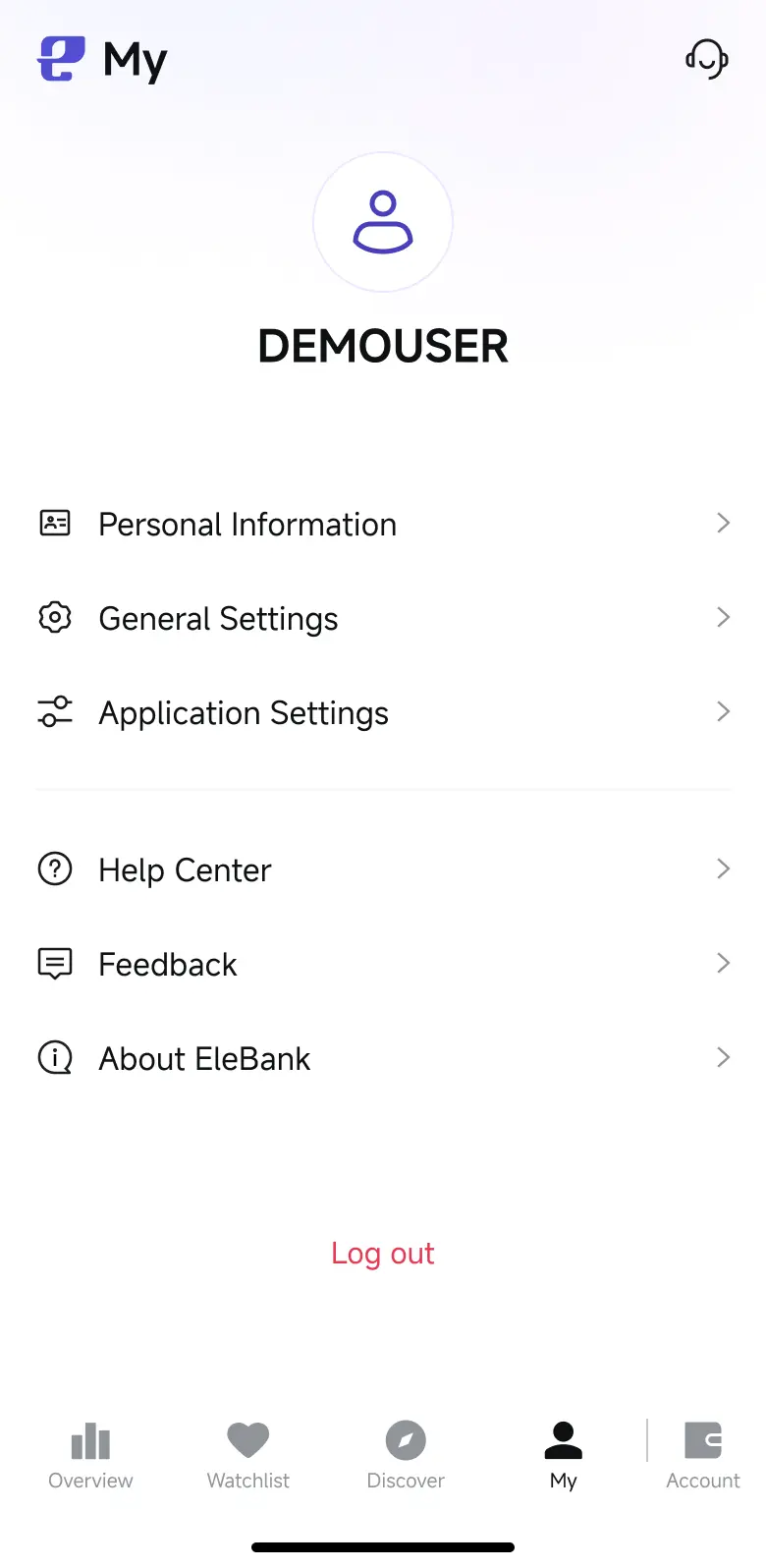
Step 1: Log in the EleBank mobile App and go to the "My" page at the bottom right corner, tap "General Settings".
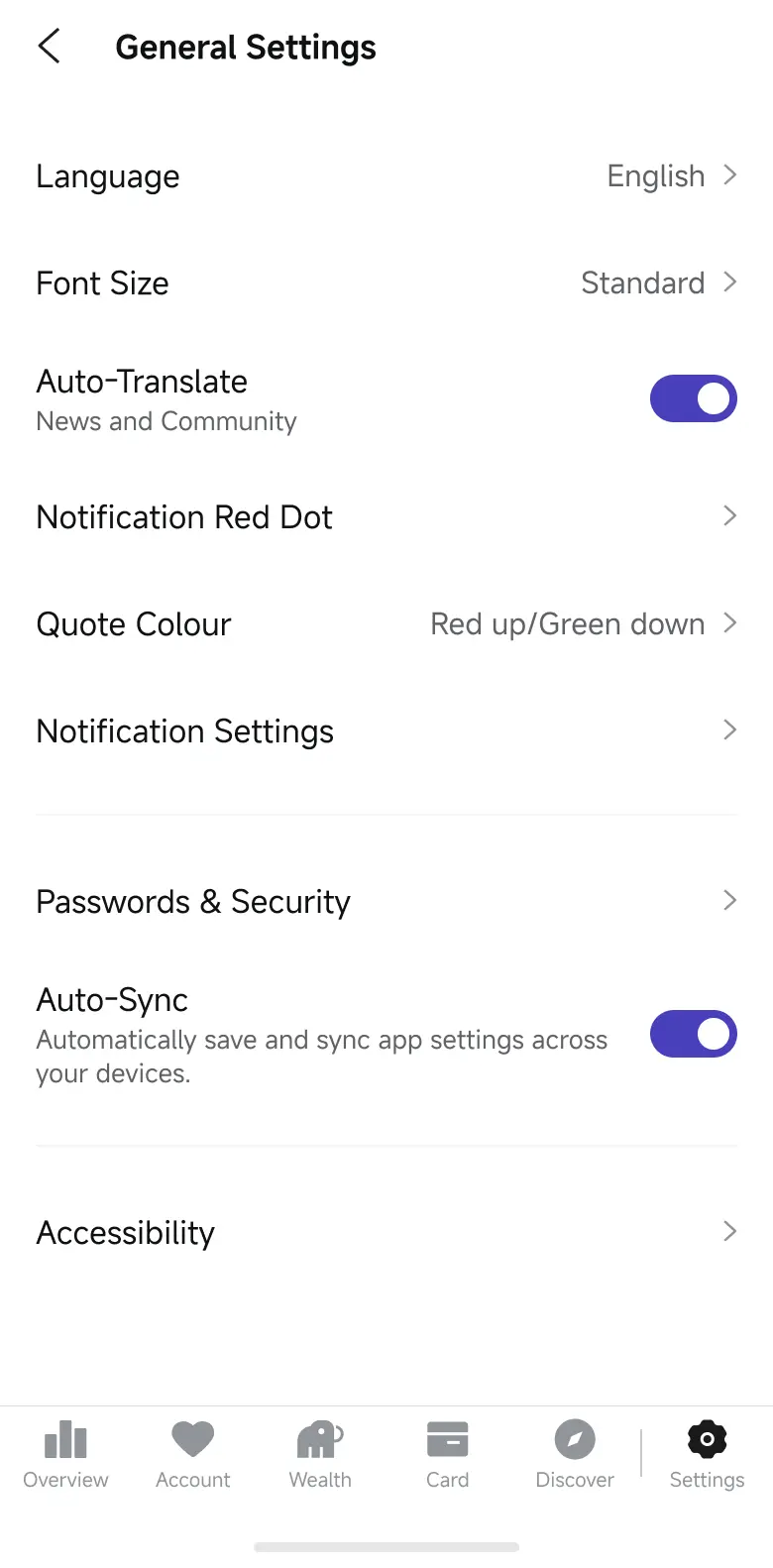
Step 2: Tap "Passwords & Security" .
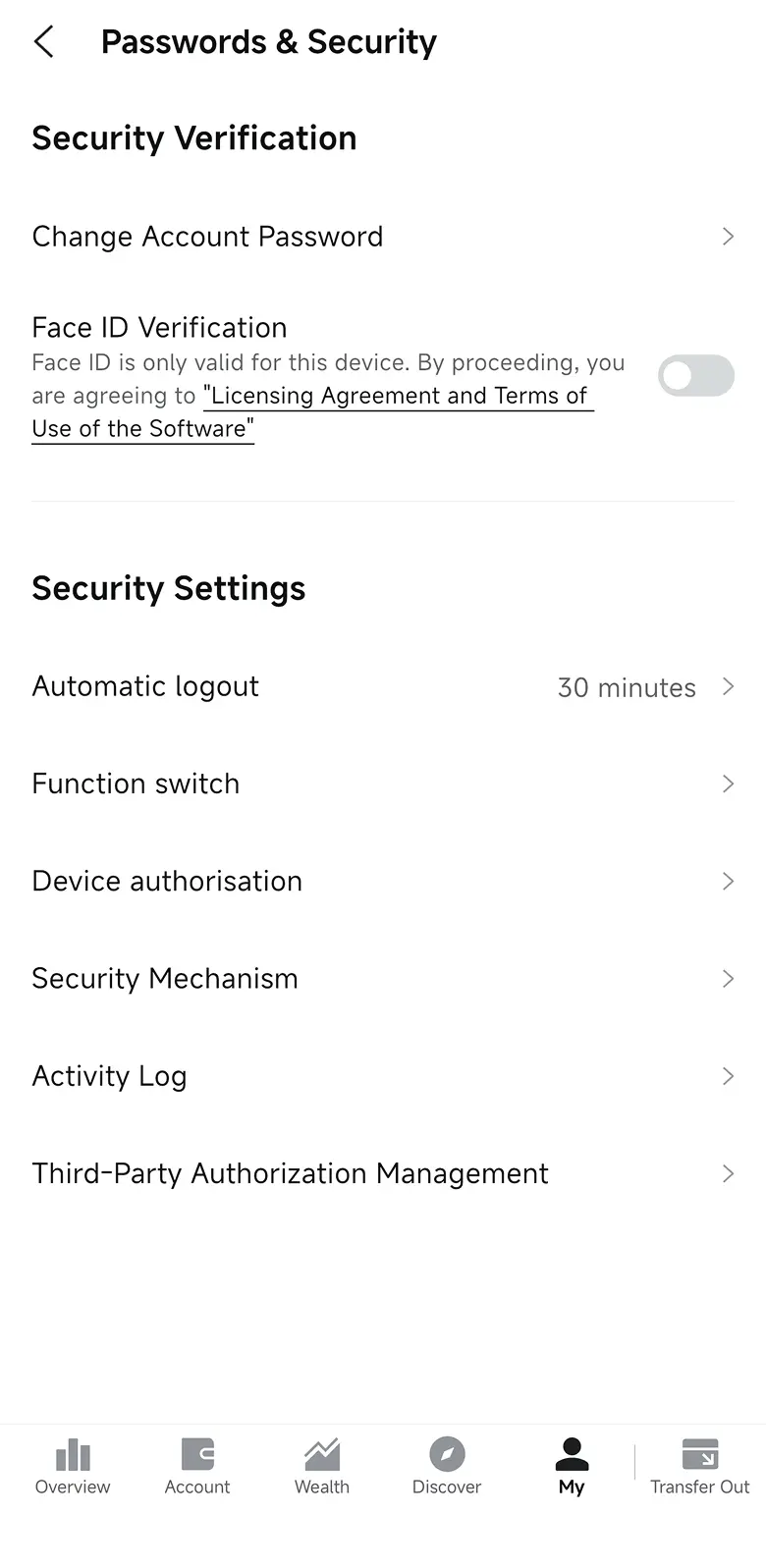
Step 3: Tap "Fingerprint Verification" or "Face ID Verification".
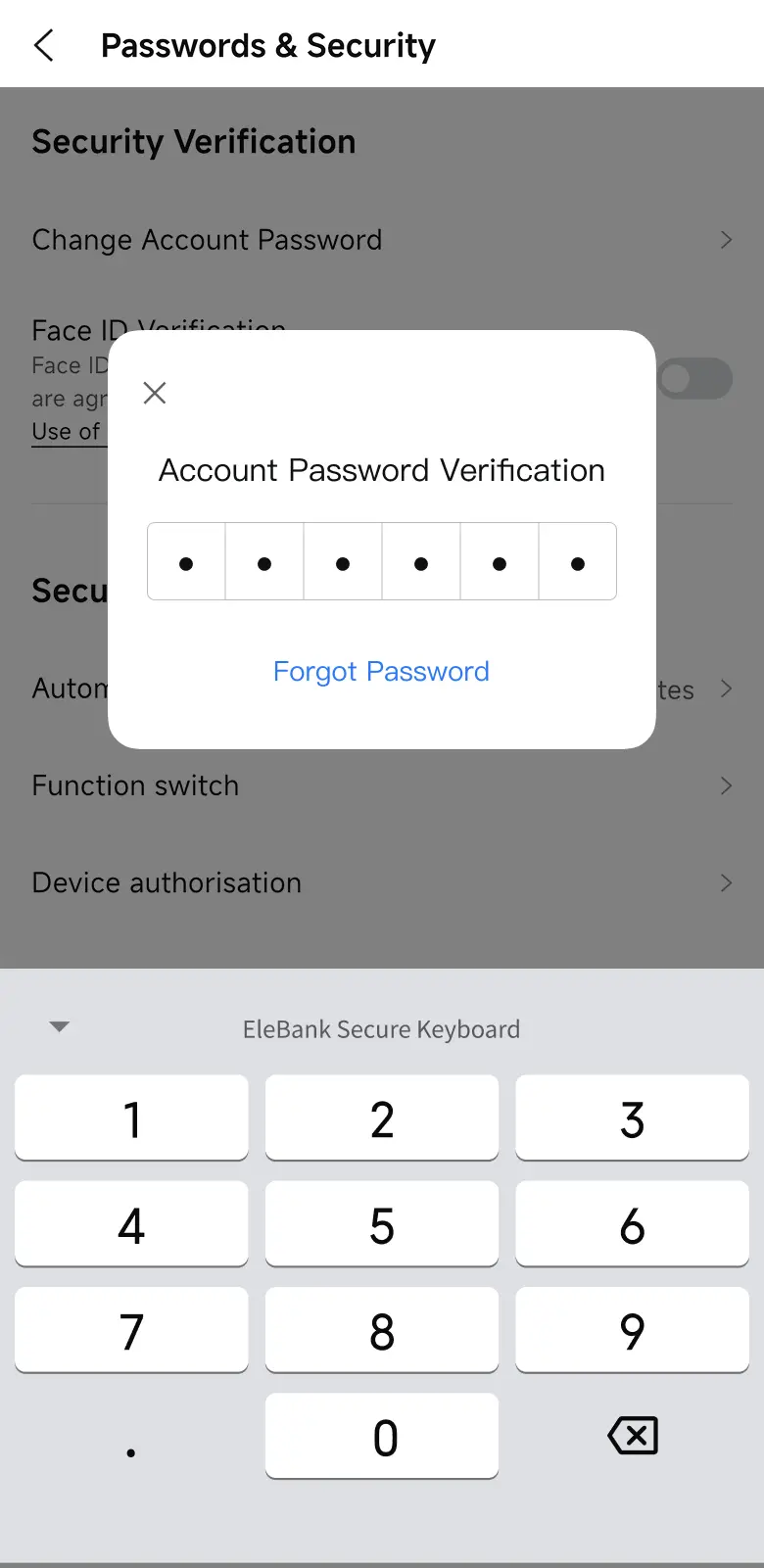
Step 4: Input account password as requested for verification and biometric authentication will be successfully activated.
EleBank Causeway Bay Physical Store
Address: Shop S & X, Hong Kong Mansion, 1A-1L Yee Wo Street, Causeway Bay (Exit E of Causeway Bay Station)
Opening hours: Monday to Sunday - 10am to 9pm (The Physical Store's opening hours may be adjusted on certain public holidays. Please refer to the Bank's announcements.)